CRM Software for Small Business: How to Choose the Right One in 2026

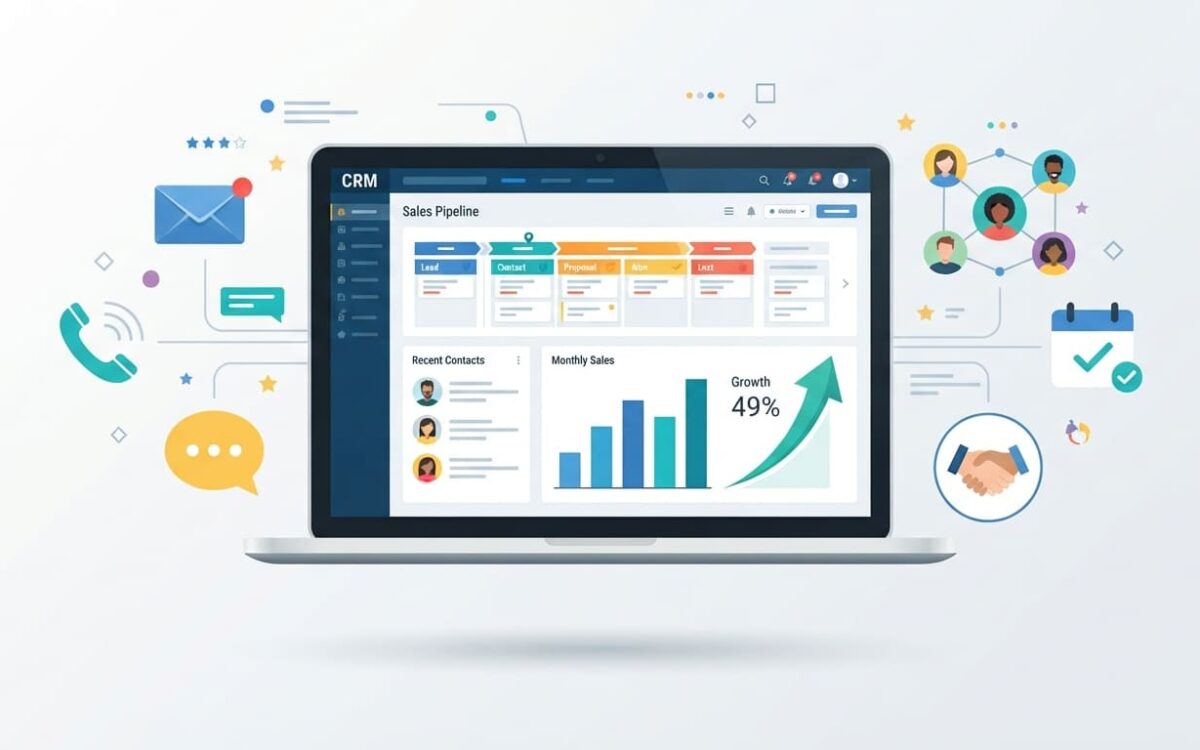
If your customer details live in spreadsheets, WhatsApp chats, email threads and sticky notes, you already know the pain: missed follow-ups, forgotten names and deals that quietly go cold. The fix is CRM software for small business, a single place where every lead, customer and conversation is stored, tracked and acted on. In this guide you will learn what small business CRM software really does, which features matter, how much it costs, how to pick the right tool, and how to set it up in 30 days without slowing your team down.
What Is CRM Software for a Small Business?
CRM stands for customer relationship management. A small business CRM is a cloud-based tool that collects contact details, tracks every interaction, shows where each deal stands in your sales pipeline, and reminds your team what to do next.
Think of it as your business memory. Instead of asking “Who spoke to this client last?” or “Did we send the quote?”, anyone on your team can open one record and see the full story: emails, calls, notes, tasks and deal value.
A small business CRM is different from enterprise software in three ways. It is simpler to set up, it is priced for small teams, and it focuses on the essentials: contacts, leads, deals, follow-ups and basic reports.
7 Signs Your Business Needs a CRM
You do not need a big team to benefit from a CRM. Watch for these warning signs:
- You search old emails or chats to find a customer’s details.
- Follow-ups depend on someone’s memory.
- Two team members contact the same lead without knowing it.
- You cannot say how many deals are open or how much revenue is likely this month.
- Customer data sits in personal phones and private spreadsheets.
- New hires take weeks to learn who the customers are.
- You are growing, but your process is still manual.
If three or more of these sound familiar, it is time to move to proper small business CRM software.
Spreadsheet vs CRM: What Actually Changes?
- Follow-ups: A spreadsheet waits for you to remember. A CRM sends reminders and can automate emails.
- Visibility: A spreadsheet shows rows. A CRM shows a visual pipeline from new lead to closed deal.
- Teamwork: Spreadsheets get duplicated and overwritten. A CRM keeps one shared version of the truth.
- History: A spreadsheet holds a note or two. A CRM keeps a timeline of every touchpoint.
- Reporting: A spreadsheet needs manual formulas. A CRM builds sales reports and forecasts for you.
Spreadsheets are fine for your first few dozen contacts. Past that, they cost you time and deals.
Must-Have Features in Small Business CRM Software
Do not pay for features you will never use. Focus on these:
1. Contact and lead management. Store names, phone numbers, emails, company details, tags and notes in a searchable database. Good lead management also scores leads so you call the hottest ones first.
2. Sales pipeline view. A drag-and-drop board that shows every deal by stage helps you spot bottlenecks at a glance.
3. Automation. Automatic follow-up emails, task creation and lead assignment save hours every week. If automation is a priority, read our CRM automation guide.
4. Integrations. Your CRM should connect with your email, calendar, website forms, accounting tool, live chat and messaging apps, so data flows in without retyping.
5. Mobile app. Field sales and busy owners need customer data on their phone, including the ability to log a call right after it ends.
6. Reports and dashboards. Look for simple sales reports, conversion rates, revenue forecasts and activity tracking.
7. AI assistance. Modern CRMs now draft emails, summarize conversations, suggest next steps and flag deals at risk. It is a bonus, not a must, for a tiny team.
8. Security and backups. Choose a provider with encryption, role-based access, two-factor login and regular backups.
9. Customization. You should be able to add custom fields and adjust pipeline stages without hiring a developer.
Best CRM Software for Small Business: Quick Picks
There is no single winner. The right choice depends on your team, budget and sales process. Here is how popular options typically fit:
- HubSpot CRM: A strong starting point if you want a free tier with marketing, sales and service tools under one roof.
- Zoho CRM: Good for customization on a budget, with a wide range of integrations and a free tier for very small teams.
- Salesforce Starter Suite: Suited to businesses that expect to scale and want a deep app ecosystem and built-in AI.
- Pipedrive: Best for teams that want a clean, visual sales pipeline and simple deal tracking.
- Freshsales: Useful when you want phone, email and chat built into the CRM.
- monday CRM: A flexible, visual workspace for teams that like to build their own workflows.
- Less Annoying CRM: A very simple tool with flat pricing for solo owners and consultants.
- Insightly: A fit for project-based and service businesses that need to link deals with delivery.
Features and plans change often, so always confirm details on each vendor’s pricing page and test with a free trial first. Want to start at zero cost? See our list of the best free CRM software.
How Much Does CRM Software for Small Business Cost?
Most CRMs charge per user, per month, and many offer a free plan with limits on users, contacts or features. Paid plans commonly range from budget-friendly entry tiers to premium plans with advanced automation and analytics.
When you compare cost, look beyond the sticker price:
- Contact limits: Some plans get more expensive as your database grows.
- Add-ons: Extras like advanced reporting, extra storage or marketing tools may cost more.
- Onboarding and support: Check whether setup help and live support are included.
- Contract terms: Monthly billing gives flexibility; annual billing is usually cheaper.
- Hidden time cost: A cheap CRM that your team refuses to use is the most expensive option of all.
A practical rule: pick the plan that covers your must-have features today and lets you upgrade later, rather than buying the biggest plan on day one.
How to Choose the Right CRM: A 7-Step Checklist
- Write down your goal. Is it more leads, faster follow-ups, better customer service or cleaner reporting? One clear goal guides every other decision.
- List your current tools. Email, calendar, website forms, accounting, chat apps. Your CRM must plug into them.
- Count your users. Include sales, support and the owner. Pricing depends on it.
- Set a realistic budget. Include setup time and training, not only the subscription.
- Shortlist two or three tools. More than that creates decision fatigue.
- Run a real trial. Import 20 to 50 real contacts and run one deal through the whole pipeline.
- Ask your team. The person who will use it daily should have a vote. Adoption beats features.
A 30-Day CRM Setup Plan
Week 1: Clean your data. Merge duplicates, fix spelling, delete dead contacts and decide which fields you really need.
Week 2: Build your pipeline. Define your stages (for example: New Lead, Contacted, Quote Sent, Negotiation, Won, Lost) and who owns each step.
Week 3: Connect and automate. Link email and calendar, add your website form, and set up two or three simple automations such as a welcome email and a three-day follow-up reminder.
Week 4: Train and launch. Hold a short training session, set one rule (“If it is not in the CRM, it did not happen”), and review results after two weeks.
Need a deeper walkthrough? Follow our step-by-step CRM implementation guide.
Common CRM Mistakes to Avoid
- Importing messy data. Bad data in means bad reports out.
- Over-customizing on day one. Start simple, then add fields as you learn.
- Skipping training. Even simple tools need a short walkthrough.
- Keeping conversations outside the CRM. Deals discussed only in private chats are invisible to the team.
- Never reviewing reports. A CRM is only valuable if you use its insights to decide what to do next.
Frequently Asked Questions
What is the best CRM software for small business? There is no universal best. HubSpot, Zoho, Pipedrive and Salesforce Starter are popular choices, but the right one depends on your budget, team size, tools and sales process. Trial two or three before deciding.
Is there a good free CRM for small business? Yes. Several providers offer free plans that cover basic contact and deal management. They are ideal for getting started, though you may need to upgrade for automation, advanced reports and more users.
How much should a small business spend on a CRM? Start with what you can justify against your sales goals. Many small teams begin with a free or low-cost plan and upgrade when the CRM clearly saves time or wins more deals.
Do I need a CRM if I only have a few customers? Not always. But if you want to grow, building the habit early is easier than migrating hundreds of messy records later.
Can I switch CRM later? Yes, most tools let you export and import data through CSV files. Keep your data clean and your fields consistent to make switching painless.
Final Thoughts
The right CRM software for small business will not just store contacts. It will help you follow up faster, see your pipeline clearly and make decisions with real data. Start with your goal, shortlist a few tools, test with real contacts and keep the setup simple. A CRM that your team actually uses will always beat a powerful one that nobody opens.
Ready to take the next step? Compare a few free trials this week, import a small batch of real customers and see which tool feels natural to your team.