International Calls on Skype in 2026: What Still Works and What to Use Instead

For almost twenty years, Skype was the default way to call family abroad. You added a little credit, dialed a country code, and a landline in another continent rang within seconds. If you are searching for international calls on Skype today, you have probably noticed that something changed.
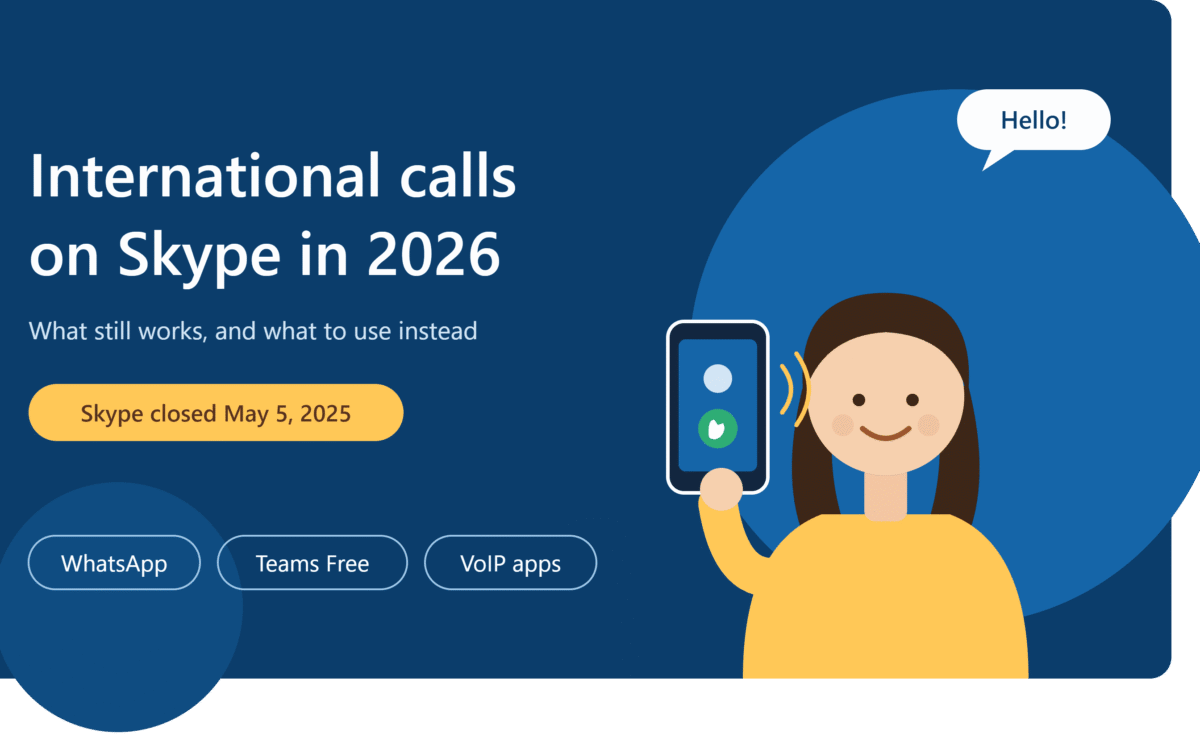
Skype has been shut down. Microsoft retired the consumer app on May 5, 2025, so you can no longer sign up, buy credit, or start a new calling plan. This guide explains what happened, what (if anything) still works, and the practical ways to make international calls now.
What Happened to Skype?
Microsoft announced the retirement of Skype on February 28, 2025, and closed it on May 5, 2025. It moved its focus to Microsoft Teams. Skype accounts can sign in to Microsoft Teams Free with the same login, and your contacts and chats carry over.
The paid calling side is where most people got stuck. According to Microsoft’s support pages:
- New purchases stopped. Skype Credit, calling subscriptions, and Skype Numbers are no longer sold.
- Skype Numbers ended. Number subscriptions finished in May 2026, and port-out requests are no longer available.
- Subscriptions were wound down. Subscriptions running past May 1, 2026 were cancelled and converted into Skype Credit, with refunds offered for some cancelled plans.
- Skype data export closed. The export window ran until June 2026, and inactive accounts’ data is deleted after that.
So the old routine of topping up Skype and dialing a mobile number overseas is effectively over for new users.
Can You Still Make International Calls on Skype?
Only in a very limited way. Microsoft said the Skype Dial Pad would stay available to remaining paid users through the Skype web portal and inside Teams Free. If you still hold leftover Skype Credit, you may be able to use it there. You cannot top it up, and Microsoft has not promised it will last.
Before relying on it, check three things in your Microsoft account:
- Whether you still have a Skype Credit balance.
- Whether the Dial Pad is visible in Teams Free.
- Whether the credit has expired. Unused credit has historically lapsed after a period of inactivity.
If you do not have credit, you need a different tool.
What Skype Used to Do (and What You Need to Replace)
Skype did three separate jobs. Knowing which one you miss helps you pick the right replacement:
| Old Skype feature | Still available? | What to use now |
|---|---|---|
| Free calls between Skype users | Moved to Teams Free | Teams, WhatsApp, Telegram |
| Paid calls to landlines and mobiles | Ended for new users | A VoIP calling app or calling plan |
| A phone number people could call | Ended | A virtual number service |
Best Ways to Make International Calls Now
1. WhatsApp, Telegram, or Signal (free, app to app)
If the person you are calling has the same app, voice and video calls are free over Wi-Fi or mobile data. It is the cheapest option and works well for family. The limit is that both people must have the app, and you cannot dial an ordinary landline.
2. Microsoft Teams Free (the official Skype successor)
Teams Free handles one-on-one calls, group calls, and chat. It suits people who want something close to the old Skype experience for video. It is not built for cheap pay-per-minute calls to ordinary phone numbers.
3. VoIP calling apps (for landlines and mobiles)
To call a regular phone number abroad, use a VoIP app that sells credit or minute bundles. Calls travel over the internet, so the cost per minute is usually far lower than a standard carrier call. Compare three things before you choose:
- The per-minute rate to your destination country, not just the headline price.
- Whether there are monthly fees or expiring credit.
- Call quality reviews from users in your region.
4. Google Voice (limited by country)
Google Voice offers international calling, but it mainly works for users with a US number and is not available everywhere.
5. A virtual number or eSIM with calling
If you used Skype to receive calls on a local number, look for a virtual number service. You choose a country, share the number, and calls ring in the app. Some eSIM providers also bundle calling and data, which is handy when you travel.
How to Make an International Call Step by Step
These steps work for almost any VoIP app that replaces Skype:
- Install a trusted app from the official App Store or Google Play.
- Add credit or choose a minute plan for the country you call most.
- Open the dial pad and enter the full number in international format: plus sign, country code, then the number without the leading zero. For example, a Pakistani mobile number 0300 1234567 becomes +92 300 1234567.
- Check the rate shown before you press call.
- Use headphones and a stable connection for clearer audio.
How to Get Better Call Quality
- Use Wi-Fi instead of weak mobile data whenever possible.
- Close apps that use bandwidth, such as video streaming or large downloads.
- Test your microphone before an important call.
- Keep the app updated so you get security and audio fixes.
- Choose a time that suits both time zones.
Safety Tips
Since Skype’s closure, scam apps and fake “Skype credit” sites have appeared. Stay safe with these rules:
- Never buy Skype Credit from third-party sellers. Microsoft no longer sells it.
- Download apps only from official stores.
- Do not share your Microsoft password or verification codes with anyone.
- Remember that internet calling apps generally cannot be relied on for emergency calls. Keep your regular mobile line for that.
Which Option Is Best for You?
- Family chat and video: WhatsApp or Teams Free.
- Calling landlines and mobiles abroad: a VoIP calling app with low per-minute rates.
- Receiving calls from abroad: a virtual number.
- Frequent traveler: an eSIM plan with data and calling.
Frequently Asked Questions
Is Skype still working for international calls?
No, not for new users. Microsoft closed Skype on May 5, 2025 and stopped selling Skype Credit and calling plans. Only some existing credit holders may still reach the Dial Pad through the web portal or Teams Free.
Can I still use my Skype Credit?
Possibly. Microsoft allowed existing credit to be used for calling, but you cannot add more, and it may expire. Check your Microsoft account.
Is Skype to Skype calling still free?
Skype accounts moved to Teams Free, where calls between Teams users are free over the internet.
What is the best alternative to Skype for calling mobiles and landlines?
A VoIP calling app with pay-as-you-go rates. Compare the per-minute price for your destination country before you pay.
Can I keep my Skype Number?
No. Skype Number subscriptions ended in May 2026, and port-out is no longer offered. You would need a new virtual number from another provider.
Final Thoughts
Skype made international calling cheap and simple, but it is no longer an option for new users. The good news is that the same job is now done by free messaging apps, Teams Free, and low-cost VoIP services. Decide whether you need free app calls, calls to real phone numbers, or a number to receive calls, then pick the tool that fits. If you want to compare more options, read our guide to best VoIP apps for international calls, see how to make free calls abroad with WhatsApp, or learn how a virtual phone number works.