Accurate and secure attendance tracking forms the backbone of workforce management for businesses of every size. When attendance data is compromised—whether through manipulation, accidental loss, or system failure—the consequences ripple across payroll accuracy, regulatory compliance, and operational trust. Traditional methods like paper time cards and manual spreadsheets remain alarmingly vulnerable to these threats, offering little protection against tampering and no scalability for growing or distributed teams.
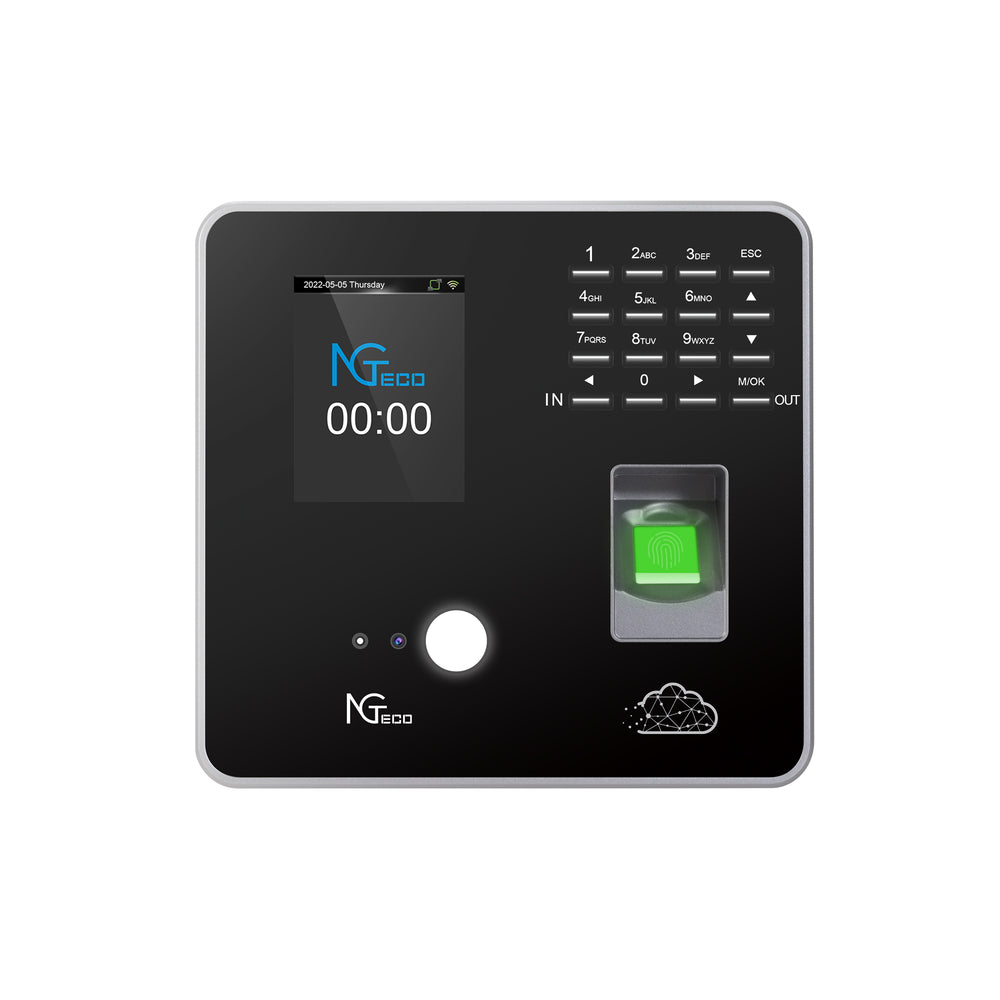
The time clock for computer has emerged as the modern answer to these challenges, replacing fragile analog processes with software-driven precision and layered security. But simply adopting digital tools isn’t enough; the way these systems are configured, deployed, and maintained determines whether attendance data remains truly protected. This guide is designed for IT specialists and business managers who need a comprehensive roadmap for securing attendance data through strategic implementation of computer time clock software. We’ll cover the essential pillars of data integrity, the security protocols that prevent unauthorized access, and the features—like cloud storage, offline synchronization, and multi-language support—that keep global teams connected and compliant.
The Critical Need for Secure Attendance Tracking
Insecure attendance data creates a cascade of organizational vulnerabilities that extend far beyond simple record-keeping errors. When time records can be manipulated—whether by employees inflating hours, managers altering entries without oversight, or external actors accessing sensitive systems—the financial exposure through payroll fraud alone can cost businesses thousands annually. Beyond direct monetary loss, compromised attendance records create serious compliance liabilities under labor regulations like the FLSA, GDPR, and industry-specific mandates that require verifiable, tamper-proof documentation of working hours. Disputes over pay, overtime eligibility, and leave balances erode employee trust and consume HR resources that should be directed toward strategic initiatives.
The rapid shift toward remote and hybrid work models has intensified these challenges exponentially. Employees now clock in from home offices, co-working spaces, client sites, and across multiple time zones—often on personal devices and unreliable networks. Traditional perimeter-based security assumptions no longer apply when the workforce is distributed across dozens of locations and connectivity conditions. This reality demands attendance systems that maintain data integrity regardless of where or how employees interact with them.
IT teams now occupy a central role in selecting and deploying attendance solutions that satisfy three competing priorities: rigorous security that protects against both internal and external threats, accessibility that allows employees to record time without friction regardless of location or device, and a user experience intuitive enough to drive consistent adoption. Striking this balance requires moving beyond feature checklists toward a holistic evaluation of system architecture, vendor security posture, and long-term operational resilience.
Core Pillars of a Secure Computer Time Clock System
Building a secure attendance tracking infrastructure requires more than selecting software with the right feature list. It demands a deliberate architectural approach where multiple security layers work in concert to protect data from creation through long-term storage. Two foundational pillars underpin every reliable computer time clock deployment: secure cloud storage that safeguards data against loss and breach, and rigorous tracking protocols that ensure every record remains verifiable and tamper-resistant.
Ensuring Data Security with Cloud Storage for Attendance Data
Cloud-based storage fundamentally transforms how attendance data is protected compared to on-premises servers or local databases. When attendance records reside in professionally managed cloud infrastructure, organizations gain automated backup cycles that eliminate single points of failure—no more lost data from a crashed hard drive or corrupted local database. Modern cloud platforms encrypt data both in transit using TLS 1.2 or higher and at rest using AES-256 encryption, meaning that even if storage media were physically compromised, the data remains unreadable without proper decryption keys.
Disaster recovery capabilities represent another decisive advantage. Cloud providers maintain geographically distributed redundancy, so a regional outage or natural disaster doesn’t result in permanent data loss. Recovery time objectives measured in minutes rather than days give IT teams confidence that attendance records remain accessible when payroll deadlines or compliance audits demand them. When evaluating cloud storage vendors for attendance systems, IT teams should prioritize providers holding SOC 2 Type II certification and ISO 27001 compliance, as these demonstrate independently verified security controls. Data residency options matter equally for multinational organizations—the ability to specify where attendance data is physically stored ensures compliance with regional regulations like GDPR’s data sovereignty requirements.
Implementing Robust Secure Attendance Tracking Protocols
Secure storage means little if the system cannot control who accesses data and verify that records haven’t been altered after the fact. Role-based access controls form the first line of defense, ensuring that employees can view only their own records, managers access only their direct reports’ data, and administrative functions remain restricted to authorized IT or HR personnel. Granular permission structures prevent privilege creep—a common vulnerability where users accumulate unnecessary access over time.
Multi-factor authentication for administrative logins adds a critical barrier against credential compromise. Even if an attacker obtains a password through phishing or brute force, they cannot access the system without the second verification factor, whether that’s a time-based one-time password, push notification, or hardware security key. Every computer time clock system worth deploying must also maintain comprehensive audit trails that log each data modification—recording who made the change, what was altered, the previous value, and the exact timestamp. These immutable logs serve as both a deterrent against internal manipulation and evidence during compliance audits. Cryptographic hashing applied to attendance records provides mathematical proof of data integrity; any unauthorized modification changes the hash value, immediately flagging tampering for review.
Advanced Features for Modern, Global Workforces
Security architecture and cloud infrastructure form the technical foundation, but a computer time clock system must also address the practical realities of managing diverse, distributed teams. Two capabilities distinguish systems built for modern global operations from those designed for single-site deployments: comprehensive language support that removes barriers to adoption across regions, and offline synchronization that preserves data integrity when connectivity fails.
Supporting Diverse Global Teams with Multi-Language Support
For multinational organizations, a time clock system that operates exclusively in one language creates immediate friction. Employees who struggle to navigate an interface in an unfamiliar language are more likely to make errors during clock-in, miss critical notifications, or abandon the system entirely in favor of informal workarounds that bypass security controls. Low adoption rates don’t just create gaps in attendance records—they undermine the entire security framework by pushing time tracking into unmonitored channels.
Effective multi-language support extends beyond simple interface translation. The ideal implementation provides fully localized experiences for both employees and managers, including translated menu items, notifications, help documentation, and error messages. Reporting outputs should adapt to regional conventions, displaying date formats (DD/MM/YYYY versus MM/DD/YYYY), time formats (12-hour versus 24-hour), and currency symbols appropriate to each locale. This localization also carries compliance implications: in many jurisdictions, employment records and time-tracking documentation must be accessible to workers in their native language to satisfy labor transparency requirements. When evaluating systems, IT teams should verify that language packs cover all operational regions and that switching languages doesn’t alter underlying data structures or compromise audit trail consistency.
Maintaining Accuracy with Offline Sync for Attendance
Reliable internet connectivity remains an assumption that fails regularly in real-world conditions. Field workers in remote locations, employees commuting through underground transit, staff at client sites with restricted network access, and team members in regions with unstable infrastructure all face scenarios where a cloud-dependent system would simply stop functioning. Without offline capability, these employees either cannot record their time at all—creating compliance gaps—or resort to manual workarounds that reintroduce the very vulnerabilities a digital system was meant to eliminate.
A well-designed offline synchronization mechanism allows employees to clock in and out normally even without an active internet connection. The system captures punch data locally on the device, storing it in an encrypted local cache that prevents tampering while awaiting connectivity restoration. Once the device reconnects, stored records synchronize automatically with the cloud server, applying conflict resolution logic to handle edge cases like overlapping entries or timestamp discrepancies caused by time zone transitions. This process should be transparent to the employee—requiring no manual intervention—and visible to administrators through sync status indicators and reconciliation logs. The security model must treat locally cached data with the same rigor as cloud-stored records: encrypted at rest on the device, protected by the same authentication requirements, and validated against integrity checks upon upload. This approach ensures that intermittent connectivity never becomes an excuse for data gaps or a vector for record manipulation.
Actionable Implementation Guide for IT Specialists
Understanding security principles is essential, but translating them into a functioning deployment requires a structured approach. The following framework gives IT teams a repeatable process for moving from initial requirements gathering through vendor selection, deployment, and long-term system management—ensuring that security remains central at every stage rather than becoming an afterthought bolted on post-launch.
Step 1: Assessment & Vendor Selection
Begin by documenting your organization’s specific security and functional requirements before evaluating any product. Map out the number of employees, their geographic distribution, connectivity conditions at each location, and the languages required for full workforce coverage. Define cloud storage specifications including acceptable data residency regions, minimum encryption standards, and required uptime SLAs. Identify integration points with existing HR information systems, payroll platforms, and identity providers that the time clock must connect with seamlessly.
With requirements documented, build a vendor shortlist of three to five candidates and evaluate each against your criteria using a weighted scoring matrix. Request evidence of independent security audits—SOC 2 Type II reports and ISO 27001 certificates should be current and available for review, not simply claimed on marketing pages. Assess each vendor’s track record with organizations of similar size and complexity, paying particular attention to their update cadence for security patches and their incident response history. Hardware-focused vendors like NGteco that also provide integrated software platforms can offer advantages in end-to-end security, since the hardware and software layers are designed to work together rather than relying on third-party device compatibility. Conduct a proof-of-concept deployment with your highest-priority use case, testing offline sync reliability, language switching behavior, and audit trail completeness under realistic conditions rather than demo environments.
Step 2: Deployment & Integration Strategy
Resist the temptation to deploy organization-wide on day one. Instead, plan a phased rollout starting with a pilot group of 20 to 50 users representing different roles, locations, and connectivity profiles. This controlled introduction surfaces configuration issues, permission gaps, and workflow friction before they affect the entire workforce. During the pilot, integrate the time clock with your identity provider through SAML or OIDC-based single sign-on, eliminating standalone credentials that increase attack surface. Establish API connections to payroll and HRIS platforms, validating that attendance data flows correctly through automated pipelines without manual export steps that introduce error opportunities.
Configure security settings methodically during this phase: enable multi-factor authentication for all administrator and manager accounts, define role-based access hierarchies that mirror your organizational structure, and activate audit logging at maximum verbosity. Set data retention policies aligned with your jurisdiction’s labor record requirements, and verify that the system’s automated backup schedule meets your recovery point objectives. Only after the pilot group confirms stable operation across at least two full pay cycles should you proceed with broader departmental rollouts.
Step 3: Training, Communication & Ongoing Management
Effective training splits into two distinct tracks. For administrators and HR managers, develop materials that cover security protocol enforcement—how to review audit logs, respond to flagged anomalies, manage access permissions as employees change roles, and execute data recovery procedures. For general employees, focus training exclusively on daily usage: how to clock in and out across devices, what to do when working offline, and how to verify their own records. Keeping employee-facing guidance simple and task-oriented drives adoption rates far more effectively than comprehensive technical documentation.
Communicate the rollout purpose transparently, framing the system as a tool that protects employees’ pay accuracy and reduces disputes rather than as a surveillance mechanism. Establish a feedback channel during the first 90 days to capture usability issues before they calcify into workarounds. For ongoing management, assign responsibility for weekly audit log reviews to detect unusual patterns such as repeated failed login attempts, bulk record modifications, or sync failures concentrated at specific locations. Subscribe to the vendor’s security advisory notifications and apply patches within your defined maintenance windows. Conduct quarterly access reviews to revoke permissions for departed employees and correct role drift, and perform an annual comprehensive security assessment that re-evaluates the system against evolving threats and updated compliance requirements.
Building a Resilient Attendance Security Strategy
Securing attendance data is fundamentally a strategic IT function that demands the same rigor applied to protecting any other critical business system. It requires deliberate architectural decisions, not merely an HR software purchase. The organizations that treat attendance security as an afterthought expose themselves to financial loss through payroll fraud, regulatory penalties from non-compliant record-keeping, and erosion of workforce trust that proves difficult to rebuild.
The path to resilient attendance data protection rests on interconnected pillars: leveraging professionally managed cloud storage with encryption, automated backups, and geographic redundancy to eliminate single points of failure; enforcing strong tracking protocols through role-based access controls, multi-factor authentication, and immutable audit trails that make tampering both difficult and detectable; and deploying features like multi-language support and offline synchronization that ensure consistent adoption and data continuity across a global, distributed workforce. A well-chosen and properly implemented computer time clock system becomes a critical instrument for mitigating operational risk, maintaining compliance across jurisdictions, and supporting the realities of modern work. As threats evolve and regulatory landscapes shift, the security posture of your attendance infrastructure must evolve with them—making continuous review, regular access audits, and proactive patch management not optional maintenance tasks but essential ongoing commitments to organizational integrity.