Business Process Management Tools: 2026 Buyer’s Guide

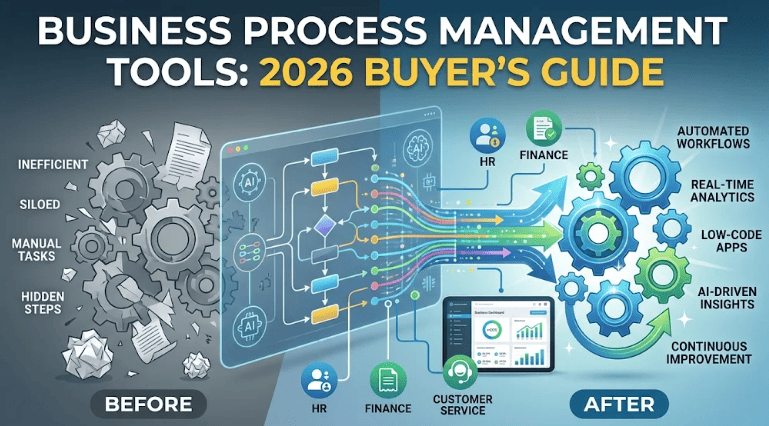
Every company runs on processes. Hiring, invoicing, customer onboarding and approvals all follow steps, even when nobody wrote those steps down. Business process management tools turn those hidden steps into something you can see, measure, and improve.
In 2026 the category looks very different from a few years ago. AI assistants now draft workflows from plain-language prompts, and process mining shows how work really flows. Low-code builders let non-developers ship apps. This guide explains what BPM tools are, the main types, the features that matter, and how to choose one without overpaying.
What Are Business Process Management Tools?
Business process management tools are software platforms that help teams design, run, monitor, and improve their processes. Think of them as a shared workspace where every process has an owner, a clear map, and numbers that show whether it works.
If you are new to the idea itself, start with our explainer on what business process management is. The software only makes sense once the discipline is clear. BPM is the practice, and the tools make it repeatable at scale.
Why Businesses Invest in BPM Software
Teams usually look for BPM software when spreadsheets and shared documents stop working. Common warning signs include:
- Different teams following different versions of the same process
- Documentation that goes stale within weeks
- No clear owner for approvals and hand-offs
- Decisions based on opinion instead of data
- Rising audit and compliance pressure
BPM software fixes these by centralizing process knowledge, tracking performance, and keeping a clear record of every change.
5 Types of BPM Tools
Not every BPM tool does the same job. Knowing the categories stops you from buying a hammer when you need a saw.
1. Process modeling and documentation tools. These map how work happens, usually in BPMN notation. They are the best starting point for companies new to BPM.
2. Workflow and automation tools. They route tasks, approvals, and notifications between people and systems. They focus on doing the work, not documenting it.
3. Process mining tools. They read event logs from your systems and show how processes actually run, including bottlenecks and detours that workshops miss.
4. Governance and collaboration platforms. They manage ownership, versions, review cycles, and audit trails as your process library grows.
5. Integrated BPM suites. They combine modeling, automation, analytics, and governance in one platform. Large enterprises usually choose these.
Key Features to Look For
Skip the glossy feature lists. These are the capabilities teams actually use:
- Central process repository: one trusted place for every process
- Visual modeler with BPMN support: drag-and-drop mapping that follows a global standard
- Low-code/no-code builder: lets business users create apps without waiting for IT
- Workflow automation: rules, approvals, and hand-offs enforced inside the system
- Process mining and analytics: dashboards that show delays and rework
- Integrations: connectors for your CRM, ERP, and email
- Governance and security: role-based access, version control, audit logs
- AI assistance: natural-language workflow creation, suggestions, and anomaly alerts
Popular Business Process Management Tools in 2026
There are hundreds of BPM products, so this shortlist groups well-known options by strength. It is not a ranking.
| Tool | Best for | Standout strength |
|---|---|---|
| Appian | Large enterprises | Data fabric plus low-code apps |
| Pega | Complex, case-heavy work | Case management and decisioning |
| Bizagi | BPMN-focused teams | Strong process modeling standards |
| Kissflow | Business users, mid-size teams | Ease of use, cloud-only |
| Microsoft Power Automate | Microsoft 365 shops | Deep Office and Teams integration |
| Nintex | SharePoint and Salesforce users | Workflow generation and forms |
| UiPath | High-volume automation | Strong RPA plus process mining |
| SAP Signavio | SAP ERP transformation | Modeling plus process intelligence |
| iGrafx | Process discovery and governance | Modeling, simulation, and mining |
Vendors change fast, so always check current pricing, features, and roadmap on the vendor’s own site before shortlisting. A few vendors have also shifted focus, and some older suites are now in maintenance mode.
How AI Is Changing BPM Tools
AI is the biggest shift in this market. Instead of building every flow by hand, you can describe a process and let the platform draft it. Platforms now offer:
- Natural-language workflow creation: “Create an expense approval flow with manager sign-off over $500”
- Predictive insights: early warnings about bottlenecks and missed SLAs
- AI agents: software that handles routine decisions inside a process
- Smarter document handling: extracting data from PDFs, forms, and images
AI works best on top of clean, well-documented processes. If your process is broken, AI just makes the broken version faster, so fix the process first.
BPM Tools vs Workflow Tools vs RPA
These terms get mixed up constantly:
- Workflow tools automate task routing and approvals within a limited scope.
- RPA uses software bots to copy human clicks on screens.
- BPM tools cover the full lifecycle: discover, model, analyze, automate, and optimize.
Many modern platforms blend all three. For a deeper look at the automation side, read our guide on business process automation.
How to Choose the Right BPM Tool: A 7-Step Checklist
- Define the goal. Is it compliance, speed, cost reduction, or visibility?
- Map your current processes. Even a rough sketch shows what you really need.
- Pick the tool type from the five categories above.
- Check integrations. The tool must talk to your existing systems.
- Match it to your team. A tool only developers can use will go unused.
- Count the full cost. Include licensing, training, implementation, and add-ons.
- Run a pilot. Test two or three processes before a company-wide rollout.
Start small. Most successful teams begin with a repository and basic governance, then add automation and analytics as their BPM maturity grows.
Common Mistakes to Avoid
- Buying the tool before defining the strategy
- Automating a process nobody understands
- Ignoring change management and user training
- Choosing on feature count instead of fit
- Skipping KPIs, so success can never be proven
Measuring Success
Choose a few metrics before launch: cycle time, error rate, cost per transaction, and employee or customer satisfaction. Review them monthly. Our article on key BPM metrics and KPIs lists the ones worth tracking.
Frequently Asked Questions
What are business process management tools?
They are software platforms for modeling, automating, monitoring, and improving business processes across teams and systems.
Do small businesses need BPM tools?
Not always. Small teams can start with documentation and simple automation. BPM tools become valuable when processes grow complex or need consistent control.
Are BPM tools expensive?
Pricing ranges widely. Some cloud tools suit small budgets, while enterprise suites need larger investment, so compare total cost, not just license fees.
Can AI replace BPM teams?
No. AI speeds up design and analysis, but people still own decisions, change management, and process quality.
Which BPM tool is best?
There is no single best option. The right choice depends on your size, industry, existing systems, and technical skills.
Conclusion
The best business process management tools match your goals, your team, and your current maturity. Start by understanding your processes, pick the tool category that fits, pilot it on a small scope, and let AI and automation grow from a solid base.