
Mac gaming has evolved dramatically in recent years. With Apple Silicon delivering impressive graphical performance and an expanding library of native titles alongside cloud gaming services, more players than ever are turning to their Mac computers for serious gaming sessions. Yet for many game genres, the keyboard and mouse combination simply falls short. Racing games demand analog precision, platformers feel natural with a directional pad, and action-adventure titles were designed around controller ergonomics from the ground up.
The challenge many Mac gamers face isn’t whether to use a controller—it’s finding one that works seamlessly with macOS without sacrificing features or requiring endless troubleshooting. Not every game controller plays nicely with Apple’s ecosystem, and the wrong choice can mean input lag, dropped connections, or limited functionality. This guide walks you through the essential features to prioritize, recommends controllers that deliver exceptional Mac compatibility, provides clear setup instructions, and addresses the specific needs that gamers encounter when bridging the gap between casual and competitive play. By the end, you’ll have everything needed to make a confident, informed purchase that transforms your Mac gaming experience.
Why a Game Controller is Essential for Mac Gaming
Certain game genres were built around controller input, and playing them any other way means fighting against the design itself. Racing games rely on analog triggers for throttle modulation—something a binary keyboard key simply cannot replicate. Platformers demand quick directional shifts that feel intuitive on a thumbstick or d-pad, while action-adventure titles map complex combat combos to button layouts specifically engineered for controller grips. The ergonomic advantage matters too: extended gaming sessions with a controller reduce wrist strain compared to the flat, repetitive motions of keyboard and mouse use.

Beyond comfort, controllers unlock better compatibility across the Mac gaming landscape. Steam’s extensive controller support means thousands of titles recognize gamepad input natively, and cloud gaming platforms like GeForce NOW and Xbox Cloud Gaming are optimized entirely around controller use. For Mac users who also own a console, a quality controller bridges both worlds—the same muscle memory, the same button mapping, the same feel whether you’re gaming on your MacBook or your living room setup. This seamless transition between platforms eliminates the learning curve that comes with switching input methods and lets you focus on what actually matters: playing well and enjoying the experience.
Key Features to Look for in a Game Controller for Mac
Not all controllers deliver the same experience on macOS, and understanding which features genuinely impact gameplay helps you avoid buyer’s remorse. The following characteristics separate a frustrating peripheral from one that feels like a natural extension of your hands.
Connectivity: Wired vs. Wireless for Reliable Performance
Mac computers favor Bluetooth for wireless peripherals, making it the most convenient option for cable-free gaming. A controller with Bluetooth 5.0 or higher ensures stable connections with minimal latency across the room. However, USB-C wired connections remain the gold standard for competitive scenarios where every millisecond counts—and they eliminate battery concerns entirely. The ideal controller offers both options, letting you switch between wireless convenience during casual sessions and wired reliability when precision matters most. Verify that any wireless controller you consider explicitly lists macOS Bluetooth compatibility, as some models only support proprietary dongles that may not function on Mac.
Precision Control with Hall Effect Joysticks
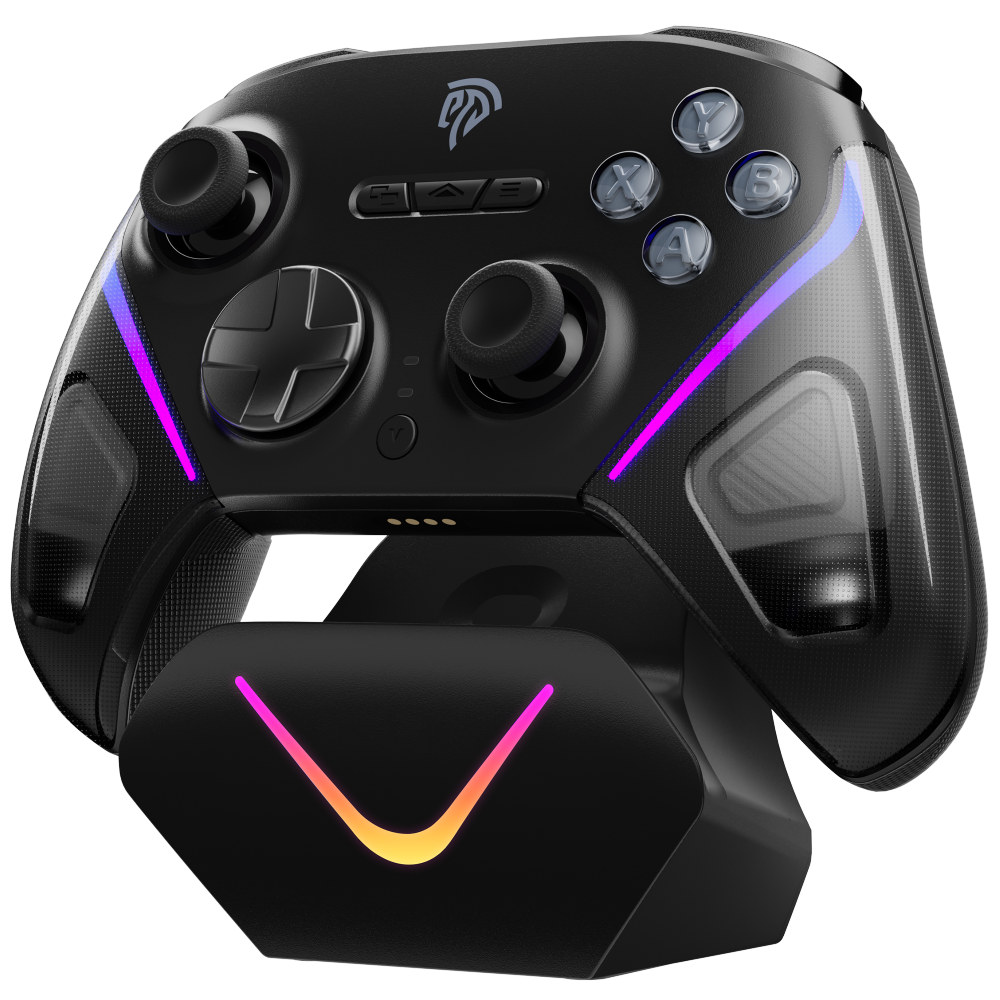
Traditional joysticks use potentiometers that degrade over time, eventually developing drift—that infuriating phantom movement when you’re not touching the stick. Hall Effect joysticks solve this problem entirely by using magnetic sensors instead of physical contact points. They maintain factory-level accuracy for years, which is particularly valuable for games demanding fine analog control like flight simulators, precision platformers, or third-person shooters where camera movement must be smooth and predictable.

Responsive Feedback from Mechanical Buttons
Mechanical buttons provide a distinct tactile click and faster actuation compared to standard membrane alternatives. You feel exactly when a press registers, which translates to more confident inputs during fast-paced combat or rhythm games. The reduced travel distance means actions execute fractionally sooner, and the consistent force required across every press eliminates the mushy inconsistency that plagues cheaper controllers after months of use.

Convenience of a Charging Dock for Multiplatform Gaming
A dedicated charging dock keeps your controller topped off and ready without fumbling for cables. For gamers who switch between a Mac, a console, and perhaps a tablet for cloud gaming, a dock provides a permanent home station that ensures you never sit down to play only to discover a dead battery. It also reduces USB-C port wear from repeated plugging and unplugging.
Ensuring Multiplatform Gaming Compatibility
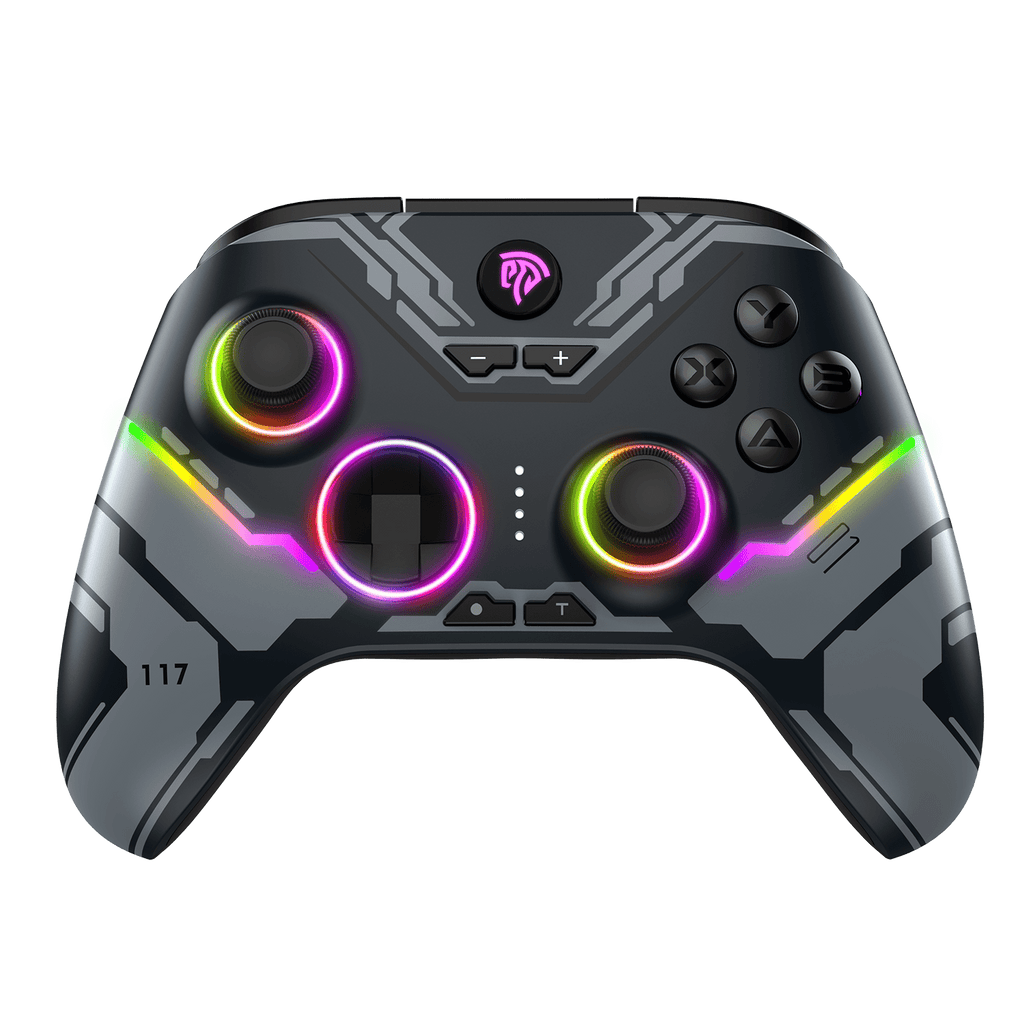
The most practical investment is a controller that works across macOS, Windows, iOS, Android, and at least one console platform. This versatility means one purchase covers every gaming scenario you encounter. Look for controllers with a physical platform switch or automatic detection, which eliminates remapping headaches when moving between devices. Native support across multiple systems also signals that the manufacturer prioritizes firmware updates and long-term software maintenance.
Top Game Controller Recommendations for Mac Users
Choosing the right controller means balancing Mac compatibility, build quality, and feature set against your gaming priorities. While several controllers work with macOS, few deliver a complete package without compromise. The models below represent the strongest options currently available for Mac gamers who refuse to settle.
EasySMX Controller: A Comprehensive Solution
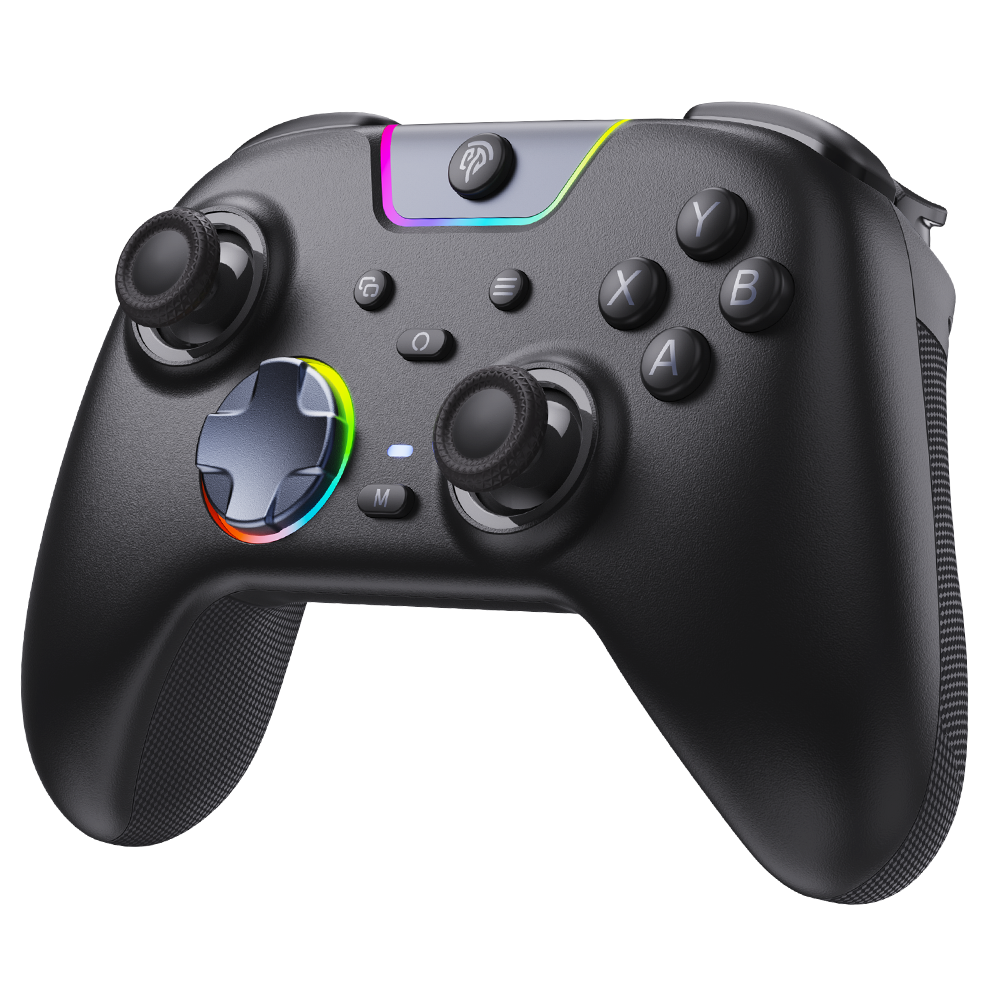
The EasySMX controller stands out as a purpose-built solution for gamers who demand premium features across multiple platforms. Its Hall Effect joysticks eliminate drift concerns entirely, maintaining precise analog input whether you’re navigating tight platforming sequences or making micro-adjustments in a flight simulator months after purchase. The mechanical buttons deliver satisfying tactile feedback with rapid actuation, giving you confidence that every input registers exactly when intended. Connectivity covers all bases with both Bluetooth and USB-C options, ensuring low-latency performance regardless of whether you prefer wireless freedom or wired stability on your Mac. The included charging dock means your controller is always game-ready, sitting elegantly on your desk between sessions rather than buried under cables. What makes this controller particularly compelling for Mac users is its genuine multiplatform compatibility—a physical switch lets you move between macOS, Windows, iOS, Android, and Nintendo Switch without software reconfiguration. This versatility transforms a single purchase into a universal gaming solution that adapts to however and wherever you play.

Other Notable Controllers for Mac Compatibility
The Xbox Wireless Controller remains a reliable choice thanks to native macOS Bluetooth support since macOS Catalina, offering familiar ergonomics and broad game compatibility, though it lacks Hall Effect sticks and requires separate battery solutions. Sony’s DualSense controller brings impressive haptic feedback and adaptive triggers to Mac gaming via Bluetooth, but some advanced features only function fully within specific titles, and macOS support can be inconsistent outside Steam. The 8BitDo Pro 2 appeals to retro-focused gamers with excellent d-pad design and strong Mac Bluetooth connectivity at a lower investment, though its traditional potentiometer sticks will eventually develop drift with heavy use. Each alternative involves trade-offs—whether in longevity, feature completeness, or cross-platform flexibility—that the EasySMX addresses more holistically.

How to Set Up and Configure Your Game Controller on Mac
Getting your controller running on macOS is straightforward once you know the correct sequence. For Bluetooth controllers, open System Settings, navigate to Bluetooth, and put your controller into pairing mode—typically by holding a dedicated sync button until an LED flashes rapidly. Your Mac should detect the controller within seconds; click Connect and wait for confirmation. For USB-C wired connections, simply plug in the cable and macOS will recognize most MFi-certified and standard HID controllers immediately without additional drivers.
Once connected, launch your game and check the input settings menu. Steam users should enable controller support through Steam Settings > Controller > General Controller Settings, where you can select your specific controller type for optimal button mapping. For non-Steam titles, apps like Joystick Doctor let you verify that all axes and buttons register correctly, while tools such as Enjoyable allow custom mapping for games lacking native controller support. If your controller connects but inputs feel unresponsive, toggle Bluetooth off and on, then re-pair the device. Persistent connection drops often indicate interference from nearby wireless devices—moving USB 3.0 hubs away from your Mac’s Bluetooth antenna typically resolves this. Keep your controller firmware updated through the manufacturer’s companion app to ensure ongoing macOS compatibility as Apple releases system updates.
Solving Gamer Needs: Enhancing Your Mac Gaming Experience
The right controller does more than connect to your Mac—it actively solves the frustrations that hold back your gameplay. For players tackling detailed games like simulators or precision platformers, Hall Effect joysticks deliver the consistent analog accuracy that separates clean inputs from sloppy ones, session after session without degradation. Multiplatform compatibility eliminates the expense and desk clutter of owning separate controllers for each device you game on. To maximize your experience, calibrate your joystick dead zones within each game’s settings for tighter response, keep firmware current through manufacturer apps, and store your controller on its charging dock between sessions to preserve battery health. These small habits compound into a noticeably smoother, more reliable gaming setup that lets skill—not hardware limitations—determine your performance.
Choosing the Right Mac Controller for Your Gaming Needs
Selecting the best game controller for your Mac comes down to prioritizing the features that directly impact your gaming quality and long-term satisfaction. Hall Effect joysticks protect your investment by eliminating drift while delivering the analog precision that demanding genres require. Mechanical buttons ensure every input feels deliberate and registers instantly. Reliable connectivity—whether Bluetooth for convenience or USB-C for competitive edge—keeps you in the game without interruption, and multiplatform compatibility means one controller serves every device in your setup without compromise.
Among available options, the EasySMX controller addresses these priorities comprehensively, combining drift-free joysticks, tactile mechanical inputs, dual connectivity, and a charging dock into a single package built for cross-platform versatility. Alternatives like the Xbox Wireless Controller and DualSense offer their own strengths but require accepting trade-offs in durability or feature completeness. Setting up any quality controller on macOS takes minutes, and maintaining it through firmware updates and proper charging habits ensures years of reliable performance.
Take stock of the genres you play most, the platforms you game across, and how much you value longevity over initial cost. A controller that matches your specific habits transforms Mac gaming from a compromise into a genuinely competitive and comfortable experience. Invest thoughtfully now, and your future gaming sessions will reward that decision every time you pick up the controller.