In today’s fast-paced digital world, platforms are everywhere. From social media and e-commerce sites to cloud solutions and mobile apps, we all rely on platforms to make life easier. But here’s the twist: sometimes, the very tools that promise convenience can create hidden pitfalls. One such pitfall is the platform event trap. If you’ve never heard of it, don’t worry — by the end of this article, you’ll understand exactly what it is, why it matters, and how to navigate it without getting stuck.
What Is a Platform Event Trap?
Let’s start with the basics. Imagine you’re at a party, and someone starts a game. Everyone joins, and soon, people are running around, making connections, and exchanging ideas. That’s exciting — until the game takes over, and people start ignoring everything else.
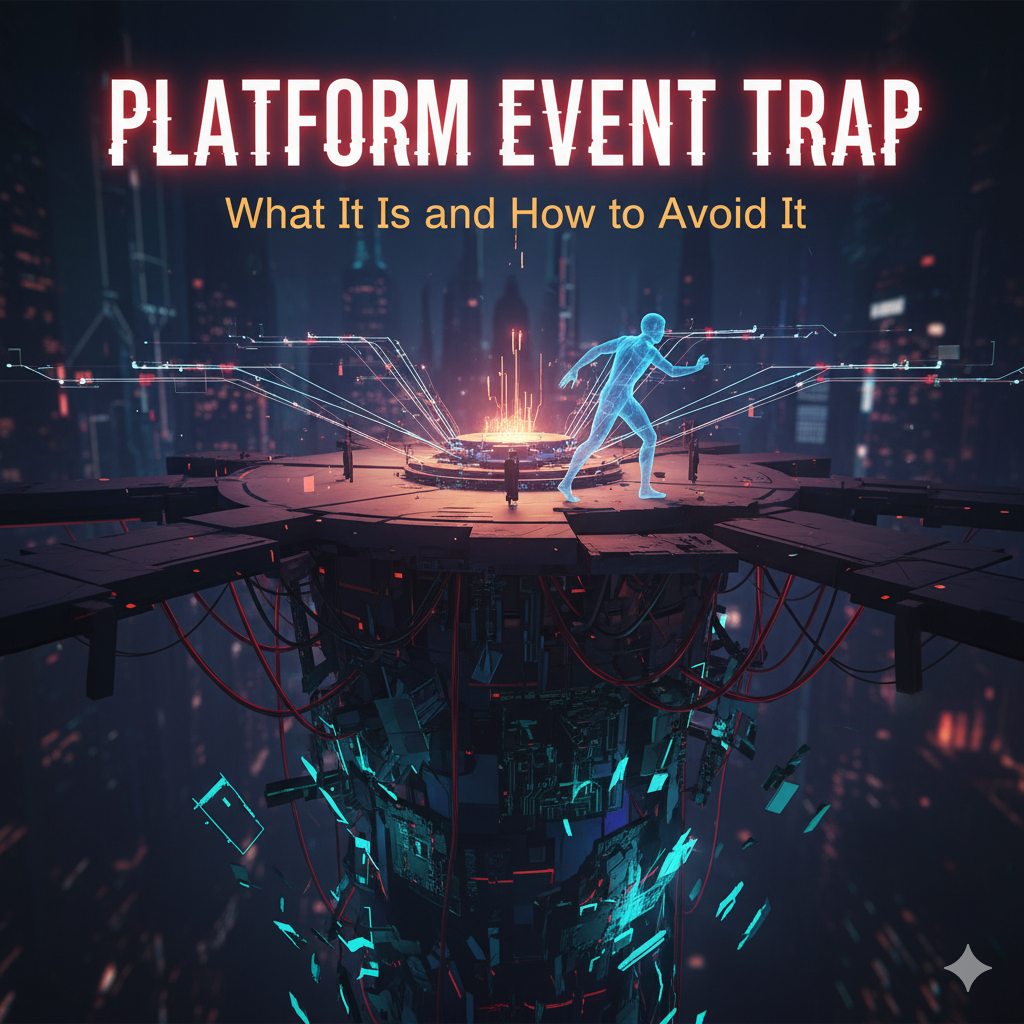
A platform event trap works in a similar way in the digital world. It happens when a platform is so focused on a specific type of event or notification that it unintentionally disrupts workflow, decision-making, or strategy. Essentially, the platform’s events become a distraction or a bottleneck.
You might hear this term mostly in tech, SaaS, or enterprise software circles, especially when talking about event-driven architectures (like Salesforce platform events, AWS events, or Kafka streams). But the concept applies broadly — any system where notifications, triggers, or events dominate user attention can fall into this trap.
Why Does the Platform Event Trap Happen?
Several factors make the platform event trap sneak up on organizations:
-
Overabundance of Notifications
-
When a platform constantly pushes updates, alerts, or reminders, users may spend more time reacting than acting.
-
-
Poor Event Prioritization
-
Not all events are created equal. Some are critical, while others are trivial. A platform that treats them all as urgent can cause chaos.
-
-
Misaligned Business Processes
-
If your team’s workflow isn’t designed to handle incoming events efficiently, the platform becomes a bottleneck rather than a tool.
-
-
Technical Limitations
-
Platforms that can’t batch, filter, or manage events properly may overwhelm systems and users alike.
-
-
Psychological Effects
-
Humans are wired to respond to notifications. A constant ping or alert can lead to distraction, stress, and decision fatigue — classic symptoms of the platform event trap.
-
Real-Life Example: Salesforce and Platform Events
Let’s get concrete. Suppose your company uses Salesforce, which supports platform events to trigger workflows, alerts, and integrations.
Here’s how the trap can appear:
-
Your team sets up events for lead creation, opportunity updates, support tickets, and more.
-
Suddenly, everyone gets alerts for everything. Your inbox fills up, dashboards are overflowing, and it feels impossible to know what’s important.
-
The team starts ignoring notifications or manually filtering messages, which defeats the purpose of having automated events in the first place.
This is exactly what people mean when they talk about a platform event trap — the platform designed to streamline operations ends up causing confusion or inefficiency.
Common Signs You’re in a Platform Event Trap
It’s not always obvious when you’re caught. Watch out for these red flags:
-
Notification Overload: You and your team are constantly checking alerts instead of focusing on actual work.
-
Delayed Decisions: Critical decisions are postponed because everyone is busy sorting through non-essential events.
-
Manual Workarounds: Teams create manual processes to ignore or filter events.
-
Burnout or Frustration: Users feel stressed, overwhelmed, or disengaged from the platform.
-
Miscommunication: Important events get lost in the noise, leading to mistakes or missed opportunities.
How to Avoid Falling Into the Trap
Avoiding the platform event trap requires a mix of technical strategy, user training, and process design. Here are practical steps:
1. Prioritize Your Events
-
Classify events as critical, important, or informational.
-
Configure the platform to treat them differently (e.g., urgent events trigger notifications; informational events go to a digest).
2. Reduce Noise with Filters
-
Use filters, rules, or tags to limit what users see.
-
Encourage teams to subscribe only to events relevant to their role.
3. Batch or Aggregate Events
-
Instead of sending an alert for every single action, group events into a summary report.
-
Example: “Today, 15 new leads were added” instead of 15 separate notifications.
4. Review Event Architecture Regularly
-
Check your event setup every few months.
-
Remove outdated triggers and refine workflows based on actual usage.
5. Educate Your Team
-
Make sure users understand the purpose of events.
-
Train them to distinguish between actionable alerts and background information.
6. Leverage Automation Wisely
-
Use automation tools to route events intelligently.
-
For example, direct critical alerts to senior managers while sending minor notifications to a dashboard.
Event-Driven Architecture vs. Platform Event Trap
Some might ask: “If events are useful, why is this a trap?” Great question!
Event-driven architectures (EDA) are fantastic for real-time responsiveness. They allow systems to react quickly to changes without constant polling. But here’s the catch: when you mismanage the flow of events, you turn a powerful tool into a source of frustration.
Think of EDA like a fire hose. In the right hands, it puts out fires efficiently. Uncontrolled, it soaks everything — including the furniture and the carpet.
Tools and Techniques to Manage Events Effectively
Modern platforms and tools provide ways to tame event chaos:
-
Salesforce Platform Events – Use event buses, triggers, and subscriptions wisely.
-
Apache Kafka – Stream processing with partitions and consumer groups to manage volume.
-
AWS EventBridge – Filter events before they reach targets to avoid unnecessary notifications.
-
Monitoring Dashboards – Consolidate events visually for easier comprehension.
By combining smart tooling with thoughtful processes, you can stay ahead of the trap rather than react to it.
The Human Side: Avoiding Event Fatigue
It’s not just about technology — it’s about people. Event fatigue is real, and it affects productivity, morale, and mental health. Here’s how to mitigate it:
-
Encourage breaks from notifications.
-
Implement quiet hours or “do not disturb” periods for critical teams.
-
Celebrate small wins so users feel progress instead of being buried in alerts.
Remember, the best platform is one that supports humans — not enslaves them.
Key Takeaways
The platform event trap may sound like a tech jargon buzzword, but its impact is real. It happens when platforms, designed to streamline processes, overwhelm users with too many events or notifications.
By prioritizing events, filtering noise, batching alerts, reviewing architecture, and supporting users psychologically, you can avoid this trap entirely.
In short: work smarter, not louder. Your platform should empower you, not exhaust you.
Final Thoughts
Platforms are powerful allies when used correctly. But without mindful management, even the most advanced systems can trap you in a cycle of distraction and inefficiency. By understanding the platform event trap and taking proactive measures, you can harness the benefits of event-driven systems while keeping your workflow smooth, productive, and enjoyable.
After all, a platform should feel like a helpful assistant, not a relentless taskmaster — and avoiding the event trap is the first step toward that reality.