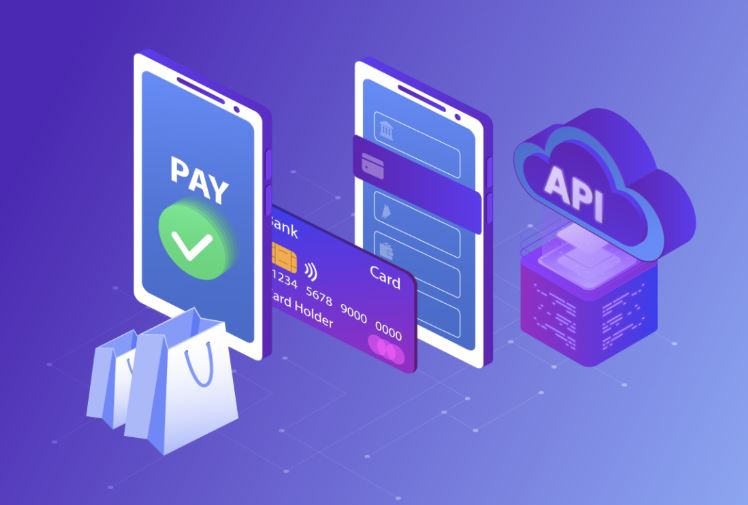
Running an online store or service? Then you need a way to accept payments. That’s where payment API integration comes in handy. But don’t worry if that sounds technical. This guide breaks it down in simple terms.
Let me walk you through everything you need to know about adding payments to your website.
What Is Payment API Integration Anyway?
Think of it like this. You have a physical store with a card reader. Someone swipes their card. Money goes into your account. Simple, right?
Payment API integration does the same thing for your website. It connects your site to payment processors. This way, customers can pay you online safely.
The API part just means different software systems talk to each other. Your website talks to the payment company. The payment company talks to banks. And boom – you get paid.
Why Do You Need This?
Here’s the thing. Customers won’t trust a site that looks sketchy with payments. They want to see familiar payment options. Things like credit cards, PayPal, or Apple Pay.
Moreover, doing payment api integration the right way keeps you protected too. You don’t handle sensitive card details directly. The payment processor does that heavy lifting. This keeps you safe from fraud and complicated security rules.
Plus, automated payments mean less work for you. No manual invoice sending. No chasing people for money. Everything happens automatically.
Popular Payment Options to Consider
You’ve got choices when picking a payment system. Here are the big players:
Stripe is super popular with developers. It’s clean, modern, and works in most countries. The documentation is excellent too.
PayPal is something everyone recognizes. Your grandma probably has a PayPal account. That trust factor matters.
Square started with those little card readers for phones. Now they offer full online payment solutions too.
Authorize.Net has been around forever. Banks love it. Very traditional and reliable.
Each option has different fees and features. Therefore, you’ll want to compare them based on your needs.
How Does Payment API Integration Actually Work?
Let’s break down the process. First, a customer adds items to their cart on your site. Next, they click checkout.
Here’s where the magic happens. Your website sends their payment info to the payment processor through the payment api integration. The processor checks with the customer’s bank. The bank says yes or no.
If approved, the money moves from the customer’s account. It goes to the payment processor first. Then the processor sends it to your business account. Usually within a few days.
Your website gets a confirmation message back. Subsequently, you can show the customer a success page. Send them a receipt. And mark their order as paid.
All this happens in seconds. Pretty cool, right?
Getting Started with Your First Integration
Okay, so you’re ready to add payments. Here’s what you actually need to do.
Start by creating an account with your chosen payment processor. Most have free sign-up. You’ll need basic business information. Tax ID, bank account details, that kind of stuff.
After that, you’ll get API keys. Think of these like passwords that let your website connect securely. Keep them private. Don’t share them publicly.
Then comes the actual coding part. If you’re using WordPress, WooCommerce, or Shopify, good news. They have plugins that make payment api integration much easier. You basically just paste in your API keys and configure some settings.
For custom websites, you’ll need a developer. Or if you’re comfortable with code, the payment companies provide documentation. It walks you through step by step.
Testing Before Going Live
Never skip testing. Seriously. This is super important.
All major payment processors offer test mode. You can process fake payments. Make sure everything works correctly. Check that money flows right. Ensure receipts send properly.
Try different scenarios. What happens if a card gets declined? Does your site handle it gracefully? What about refunds? Partial payments?
Additionally, test on different devices. Your payment form should work on phones, tablets, and computers. Because customers will use all of them.
Security Stuff You Can’t Ignore
Here’s something critical. Payment security isn’t optional. You need to take it seriously.
First up is PCI compliance. That’s the security standard for handling card data. Luckily, when you use payment api integration correctly, the processor handles most of this. You’re just passing data through. Not storing it.
Still, you need an SSL certificate for your website. That’s the little padlock in the browser. It encrypts data between your customer and your server. Most hosting companies offer free SSL certificates now.
Also, use strong passwords for your payment processor accounts. Enable two-factor authentication if available. Think of all the money flowing through there. You want it locked down tight.
Common Problems and Quick Fixes
Things don’t always go smoothly. Let’s cover some typical issues.
Sometimes payments fail even with valid cards. Usually, this means the bank flagged it as suspicious. Customers should contact their bank. Or try a different card.
You might see payments going through, but not showing in your account. Check your settlement schedule. Some processors hold funds for a few days. Especially when you’re new.
Integration errors often come from incorrect API keys. Double check you copied them exactly. Even one wrong character breaks everything.
Furthermore, currency mismatches cause headaches. Make sure your store currency matches what you told the payment processor.
Keeping Everything Running Smoothly
Once your payment api integration is live, maintain it properly. Check your dashboard regularly. Look for failed payments or unusual activity.
Keep your integration updated. Payment companies release new versions. They fix bugs and add features. Stay current to avoid problems.
Monitor your fees too. Know what you’re paying per transaction. Some processors offer better rates as your volume grows. Don’t be afraid to negotiate.
And finally, provide good customer support. Have a clear refund policy. Answer payment questions quickly. This builds trust with your customers.
Final Thoughts
Adding payments to your website doesn’t have to be scary. With the right payment api integration, you can accept money securely and easily.
Start simple. Pick one trusted payment processor. Get it working well. Then you can always add more options later.
Remember to test thoroughly. Keep security tight. And don’t hesitate to ask for help when you need it.
Your customers want to give you money. Make it easy for them. That’s what payment integration is all about.